


Buying Guides
Made-to-measure uPVC casement windows: an ordering checklist
Buying a made-to-measure casement window starts with the opening and the way you want to use the room, not just the colour. A few checks before you configure a window can prevent confusion about dimensions, glazing and accessories. This guide uses the options shown on Swift Aluminium’s live Casement 2 uPVC Window Agate Grey page as a practical example. Available choices can differ between products, so confirm them on the item you plan to buy.
1. Confirm the frame size and the opening
Record the width and height in millimetres and check which dimensions the product form requests. Swift’s Casement 2 form asks for outside frame width and outside frame height. It also tells buyers to include the cill in the overall height. Those details matter: a measurement of the masonry opening is not automatically the size to enter for a finished frame. If you are unsure about allowances or how the old window will be removed, have your installer confirm the order dimensions before placing a made-to-measure order.
Also check the opening arrangement you need. A casement window can have different numbers and positions of opening sections. The products in Swift’s uPVC casement window range use numbered configurations; inspect each product drawing and options rather than assuming that two similarly coloured windows open the same way.
2. Choose the finish for both sides
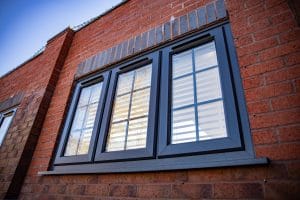
Think about the outside elevation and the room separately. On the example product, external colour is selected in the configurator and the internal colour menu offers white or the same finish as the exterior. Check your selected combination in the order summary. If you are matching existing frames, compare a physical sample where possible: screen colours can vary from a real finish.
The Agate Grey Casement Windows category currently shows 57 products, covering several numbered layouts. Start with the configuration that suits the opening, then review its finish choices.
3. Decide what you need from the glazing
The example configurator lists non-toughened float glass, toughened A-rated glass, a triple-glazed upgrade, acoustic glass and laminated glass. These are choices on that product, not a recommendation that one option is suitable for every location. Ask your installer or designer which glazing is appropriate for the position of the window and your project requirements. Check whether the glazing choice changes the final price before checkout.
Privacy is a separate decision. The product also lists clear glass and several patterned or satin options. Consider sightlines from neighbouring properties and how much daylight you want; inspect the actual pattern before ordering if privacy matters to you.
4. Check the cill, ventilation and hardware
The example product offers no cill or several cill depths, as well as a trickle-vent option. Work out whether the installation needs a cill and confirm the depth with your installer. Ventilation requirements depend on the building and the work being done, so confirm them for your project rather than selecting a vent option by habit. The page also provides handle colours and decorative options such as Georgian bars and lead patterns. Check that these choices match the appearance you want from both inside and outside.
5. Review the complete configured order
Before paying, read back the configuration: window layout, outside frame dimensions, interior and exterior finish, glazing, cill, ventilation, handles and any decorative details. Save the specifications you agreed with your installer. Then check the current shipping policy and returns and refunds policy, especially because made-to-measure items may have different terms. The price and any delivery estimate shown during configuration should be checked at checkout.
If a dimension or option is unclear, contact Swift Aluminium before submitting the order. A brief check is easier than correcting a custom window after manufacture.
